
Spotify Private Playlist: Hide Lists From Your Profile
A spotify private playlist stays off your public profile and out of search—even if someone has an old link. Use privacy when a list is personal, unfinished, or only for a small circle you control.

Spotify makes new playlists public by default. This guide shows how to flip one playlist to private, how profile publishing settings work, how short-lived share links and collaborative access differ, and when to combine privacy with a private listening session.
Public vs private vs collaborative
- Public: findable and typically eligible to appear on your profile (unless you turn profile publishing off).
- Private: nobody else can open it via search or an old link once it is private.
- Collaborative: invited people can edit tracks; privacy and invite rules still matter—see Spotify collaborative playlist.
Private is about playlist visibility. Hiding what you play right now is different—use Spotify private session for Friend Activity. You often want both for sensitive listening.
Make a playlist private (mobile, desktop, web)
- Open the playlist you own.
- Tap or click the menu control at the top (often three dots / more).
- Select Make private.
- Confirm the playlist no longer shows a public/globe state in details.
To reverse it later, choose Make public from the same menu. Only the owner can change this; collaborators cannot flip your master privacy unilaterally in normal flows.
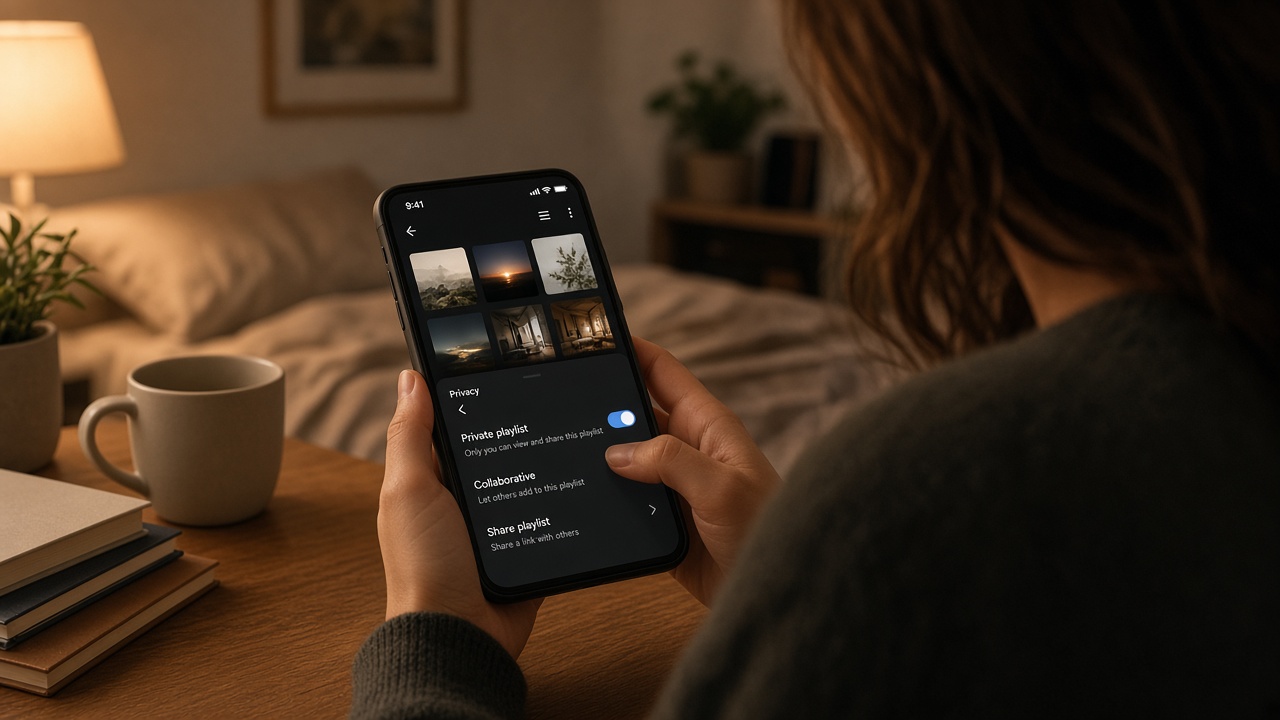
Stop new playlists from publishing to your profile
Even with some public lists, you can stop auto-publishing new ones:
Mobile: Profile → Settings and privacy → Privacy and social → under Playlist visibility, toggle Public playlists / related publish controls off as labeled in your app version.
Desktop: Profile → Settings → Social → turn off publishing new playlists on your profile.
A playlist you later mark private is removed from what others see on your profile. For library clutter after lots of experiments, group drafts inside a Spotify playlist folder and keep those folders private by making each list private.
Share with a few people without going fully public
Spotify’s invite/share flows can grant view access with a link that may expire (commonly after about seven days—check the in-app notice). Recipients can appear on the playlist header so you can manage access. For ongoing co-editing, make the playlist collaborative instead of emailing a fragile link forever.
When you Spotify share a private-minded list, double-check you did not accidentally Make public first. Codes and social posts amplify whatever privacy state is active.
Private playlists and Family / Duo households
Living on a Family plan does not give other members automatic rights to your private playlists. They still need a share invite or collaborative access. Managed Kids accounts and explicit filters are separate controls—privacy of your adult drafts remains yours.
Quality-of-life tips
- Name drafts with a prefix like “_wip” so you never publish the wrong list from Your Library.
- Pin only finished public lists; keep private experiments unpinned—see Spotify pin playlist.
- Blend and Jam are social by design; do not assume they inherit playlist private flags the way a solo list does.
- Downloading a private playlist still requires Premium rules; privacy does not replace offline entitlements.
Troubleshooting
Friends still see it. They may have opened it while it was public, or you are looking at a collaborative copy. Reopen the menu and confirm Make private. Ask them to remove a followed copy from their library.
No Make private option. You might not own the playlist (Liked Songs and algorithmic mixes are special). Create your own playlist, copy tracks, then privatize that copy.
Shows on Google. Public playlist pages can be indexed over time. Privatizing stops new access; cached search snippets can lag—privacy first, then wait for caches to drop.
Private playlists for work, gifts, and drafts
Build birthday or anniversary mixes as private until the day you share a fresh link. Keep client mood boards or podcast episode shortlists private so coworkers cannot browse unfinished ideas from your profile. Students often keep exam focus lists private to avoid friends adding meme tracks mid-week—collaboration can wait until finals end.
When a draft is ready, Make public once, pin it if it is a daily driver, and optionally file older private versions in a folder named Archive so Your Library stays calm. Review privacy again after any big remix or collaborative invite so a temporary public toggle does not linger overnight.
FAQ
Are private playlists Premium-only?
No. Free accounts can create private playlists; Premium adds downloads and other perks.
Can Spotify Support see private playlists?
Support follows Spotify’s privacy policies; day-to-day friends and profile visitors cannot open a private list.
Does private hide listening activity?
No—use a private session or disable publish activity for that.
Flip sensitive lists to private, tighten profile publishing, and share only with deliberate invites. That is the practical way to run a spotify private playlist workflow without abandoning collaboration when you need it.