
Spotify Unfollow: Stop Following Artists and Shows Cleanly
Want to spotify unfollow artists, podcasts, or shows that clog Home and Release Radar? Unfollowing is as simple as tapping Follow again on a profile—Spotify’s official toggle—so recommendations lean toward what you still care about.
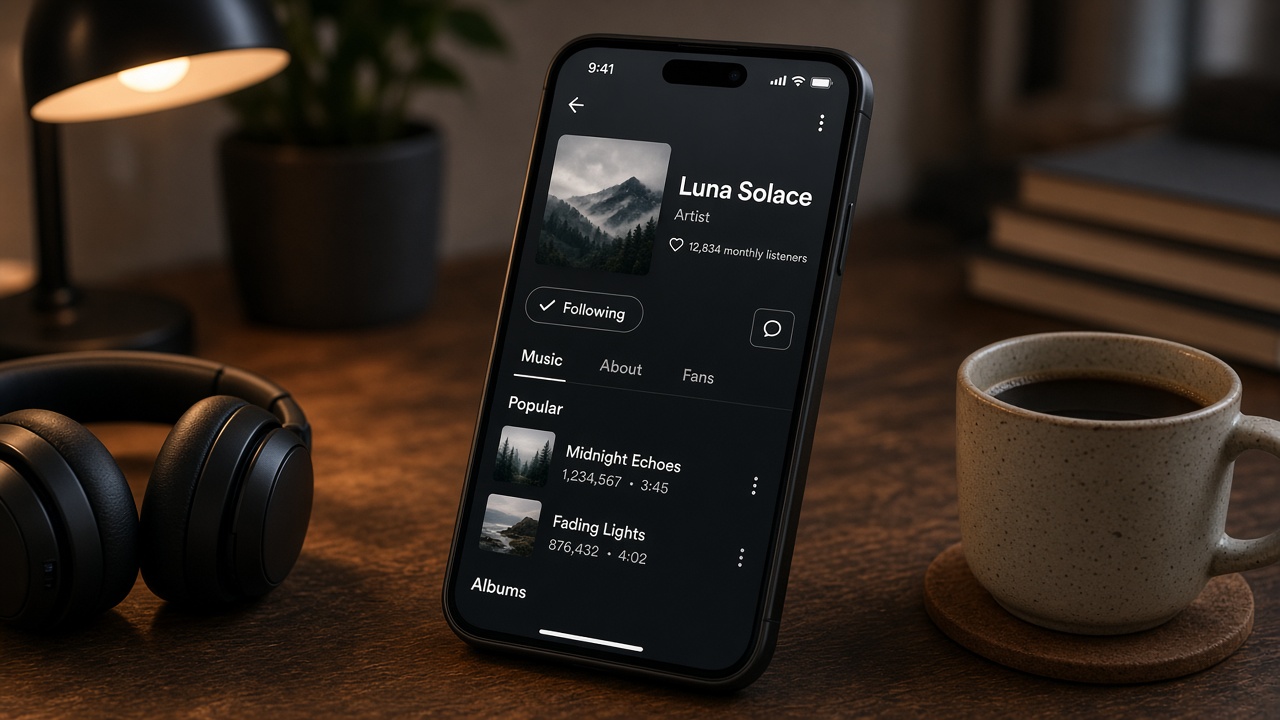
This guide covers unfollowing artists and shows, cleaning Your Library Artists, how unfollow differs from block/hide, and a monthly unfollow ritual. Official steps: Follow artists, podcasts, and shows.
Follow vs unfollow in one tap
On an artist, podcast, or show page, Follow means you want release alerts and stronger recommendation weight. Select Follow again to stop following. That is the entire core control—no third-party “mass unfollow” tool required (and those tools often steal logins).
Related guides: Spotify follow, podcasts, and Release Radar.
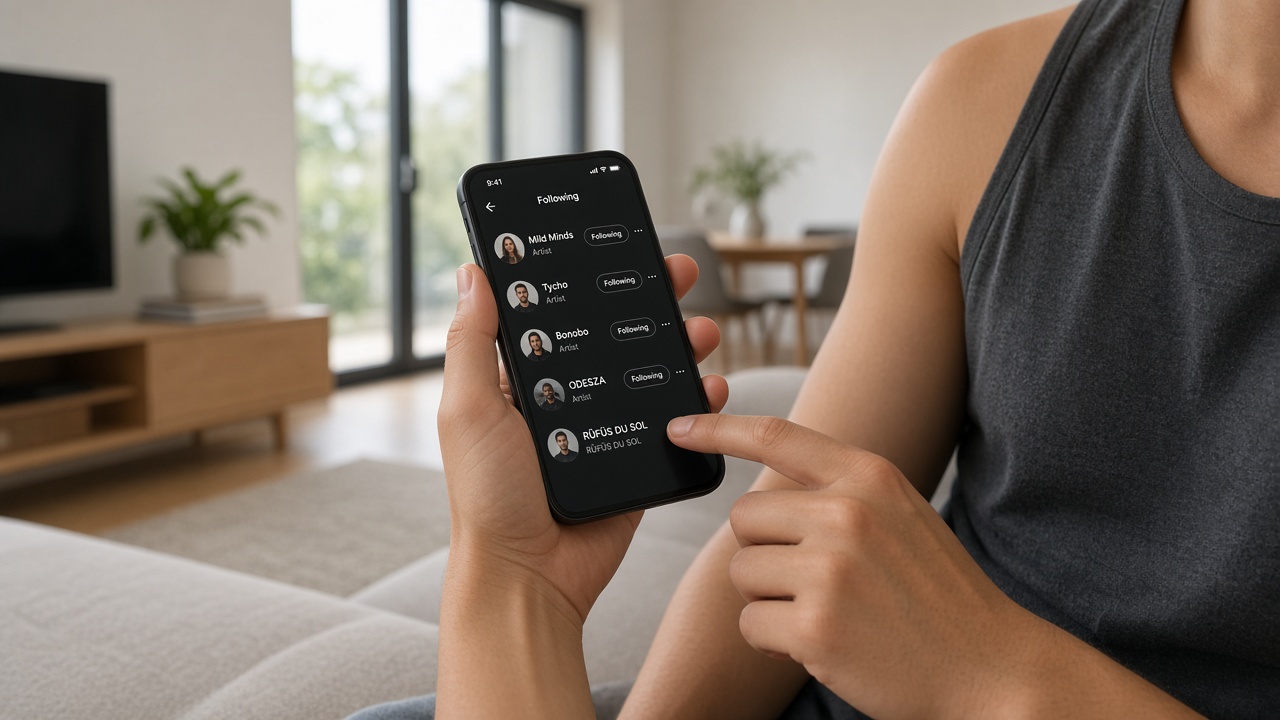
Unfollow an artist
- Open the artist’s profile (search or Your Library → Artists).
- Tap or click Follow so it returns to the unfollow state (button no longer shows Following).
- Optional: remove their albums from Library if you also saved them.
On mobile Home → Music → Following, browse creators you follow and prune from there when the feed exists in your market.
Unfollow podcasts and shows
- Open the show page.
- Tap Follow/Following to stop following so new episodes stop auto-saving into your habits.
- Clear leftover downloads if storage is tight—see remove downloads.
If podcasts still dominate Home, pair unfollow with Music filters from hide podcasts.
Unfollow vs block vs hide song
- Unfollow: stop release updates from an artist/show.
- Block user: privacy against another listener—see block user.
- Hide song: skip a track inside playlists you do not own—see hide song.
Unfollowing an artist does not delete their songs from your playlists; it mainly changes notifications and recommendation pull.
Why unfollow helps recommendations
Spotify improves suggestions based on follows and listening. A Following list full of one-hit wonders from 2019 keeps old signals alive. Prune aggressively, then spend a week playing what you still love so Daily Mix and Radio catch up. Taste exclusions remain available when a playlist skews results—see taste profile.
Monthly unfollow ritual
- Open Your Library → Artists; sort or scan for names you never play.
- Unfollow ten artists you outgrew.
- Open Podcasts → Following; unfollow abandoned shows.
- Check notification settings so leftover alerts die—notifications.
- Pin keepers and file playlists so Library feels intentional.
Friends vs artists
Unfollowing a friend uses the same Follow toggle on their profile but is a social action, not a music catalog change. Blocking is stronger if they monitor listening activity. Do not confuse “unfollow playlist” (leave a followed playlist) with deleting a playlist you own.
Stay official
Mass-unfollow websites that ask for your password are a common scam. Use the in-app Follow toggle and install only from spotify.com/download.
FAQ
Will unfollow remove their songs from my playlists?
No. Tracks you added stay until you remove them.
Does unfollow affect Premium?
No.
Can I unfollow everyone at once?
Not with an official bulk button—prune in sessions for safety.
Open the profile, tap Follow again, prune monthly—and spotify unfollow keeps your graph honest without risky tools.
After a genre breakup
When you leave a phase (hyperpop semester, pure noise weeks), unfollow the scene’s core artists and stop saving their radio seeds for two weeks. Create a fresh Focus playlist from scratch so Add-to-playlist suggestions stop pulling the old sound. Tell collaborative co-editors you are resetting so they do not re-add the same tracks the next night. Consistency for 14 days matters more than unfollowing 200 names in one anxious hour.
Podcasters who switched topics should unfollow old show peers that no longer match the new niche, or Home keeps surfacing irrelevant episodes. Athletes periodizing training can unfollow high-BPM artists during recovery weeks so gym mixes do not sneak into sleep playlists via Autoplay. Parents can unfollow kid-channel noise on the adult profile while keeping managed Kids accounts separate.
Keep a simple note of “unfollow candidates” during the week whenever a notification feels like spam, then process the list on Sunday. That habit prevents rage-unfollowing someone you still want for one classic album. Re-follow is always one tap away if you miss them—Spotify will not punish curiosity.
If Release Radar still looks wrong after a purge, play intentional albums for a few evenings and like keepers. The algorithm needs positive signal, not only removals. Pair unfollow with taste-profile exclusions when a joke playlist polluted recommendations for months. Treat unfollow as gardening: remove dead branches, water what remains, and check growth next Friday’s Radar instead of ripping out the whole garden overnight.