
Spotify Code: Share and Scan a Scannable Link
Spotify Code is a scannable image that opens a song, album, artist, playlist, podcast, or profile in the app. You show it from the share menu on a phone, and a friend scans it with their camera inside Spotify. A copied link and an embed code are different tools. This guide follows Spotify’s share steps for phones and computers.
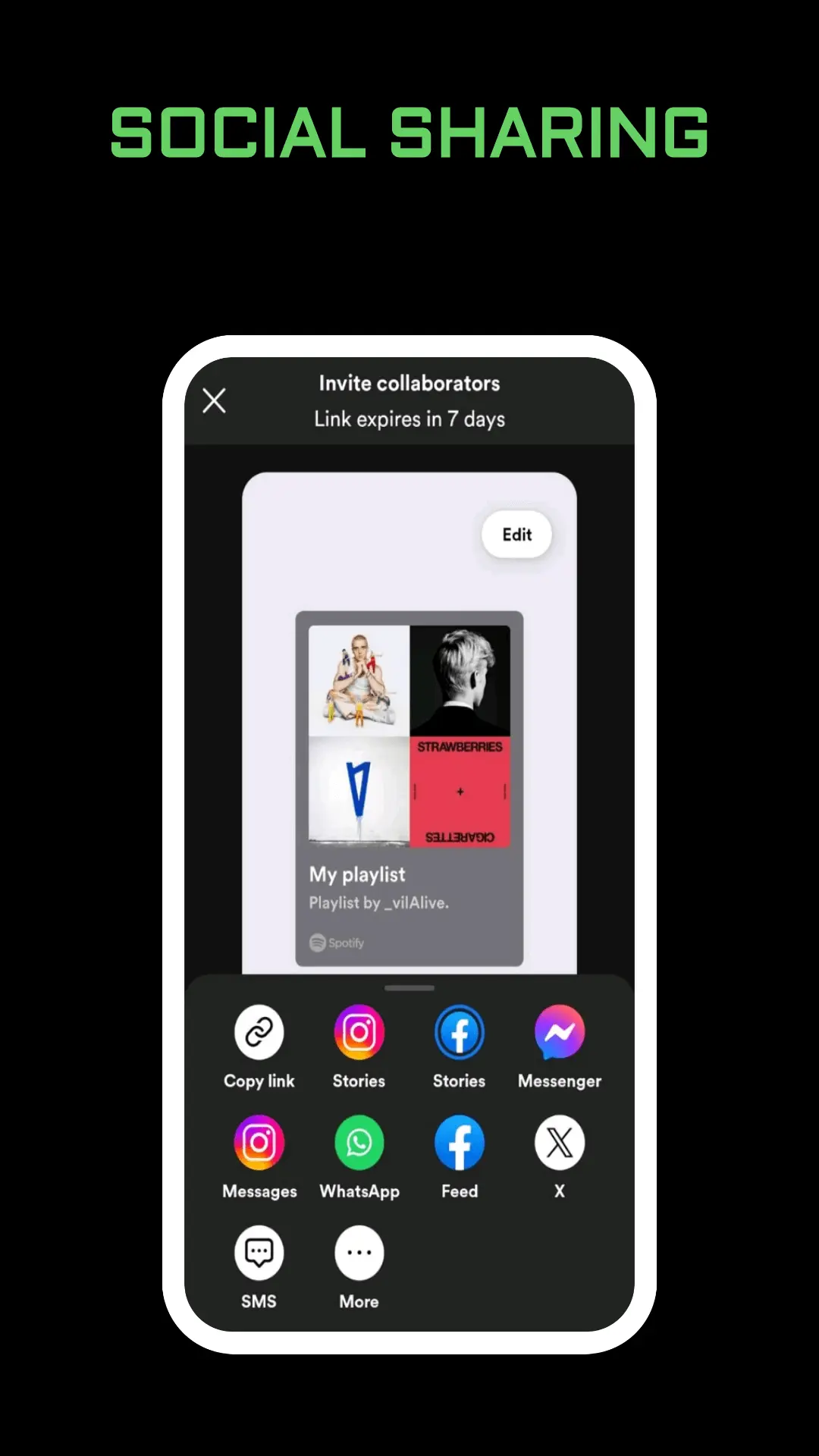
Share a Song With a Spotify Code
Spotify says you can share songs, albums, artists, playlists, podcasts, and your profile.
On a phone or tablet:
- Go to what you want to share and open the menu. Spotify shows that control on iOS and Android.
- Choose Share.
From there you can send it to a social or messaging app, copy a link, or use a Spotify Code.
On a computer:
- Right-click what you want to share, or open the menu next to it.
- Choose Share.
Desktop share offers Copy Link or Copy embed code. It does not list Show Spotify Code. If you need the Spotify URI, hold the ALT key on Windows or the Option key on a Mac while you use that share action. The URI is a text identifier. It is not the scannable image. A copied link opens the same song or playlist in a browser or the app. An embed code places a player on another page. Neither one is the Spotify Code image a friend scans in the room.
Show a Spotify Code and Scan It
On a phone, open the menu on the content you want to share and select Show Spotify Code at the bottom. A friend can then scan that image with their camera. You can also take a screenshot and pass the picture around. For a high-resolution file, Spotify points you to spotifycodes.com.
Scanning is a mobile and tablet action. Spotify needs access to the phone’s camera.
- Tap Search.
- Tap the search bar.
- Tap the camera.
- Tap SCAN.
- Point your camera at a Spotify Code.
If the camera button never appears, check the phone’s permission for Spotify before you blame the code. A photo of the code still has to be in front of that scanner. Pasting a link is the desktop path, not this camera path.
A Code Is Not a Jam, a Blend, or an Invite
Several Spotify screens show a square you can scan or a link you can send. They do different jobs.
- A Spotify Code opens one piece of content: a song, album, artist, playlist, podcast, or profile. It does not start a live session.
- Spotify Jam is a live listening session. The host can share a QR code or a link so people join what is playing now. Scanning a Jam code puts you in that session. Scanning a Spotify Code opens the item, then you press play yourself.
- Spotify Blend is a shared playlist that updates from two people’s taste. You do not build it by showing a code from one song.
- A Spotify collaborative playlist lets other people edit the track list. The invite is its own flow. A code that merely opens the playlist does not make the scanner an editor.
- The list itself, if you still need to create it, starts in Spotify playlist. Share the code after the playlist exists.
- Spotify listening activity shows friends what you are playing. It is a privacy switch, not a scannable image. Turning activity on does not generate a code, and showing a code does not change who can see your live song.
Use a code when someone nearby should land on the same album or playlist. Use Copy Link when they are not in the room. Use Jam when you want them in the same playback session.
Frequently Asked Questions
Where is Show Spotify Code?
On a phone, open the menu on the song, album, artist, playlist, podcast, or profile, then choose Show Spotify Code at the bottom of Share. The desktop share menu lists Copy Link and Copy embed code instead.
Can I scan a code on my computer?
Spotify’s scan steps are for mobile and tablet: Search, the search bar, the camera, SCAN, then point at the code. The computer path is a copied link or embed code. Hold ALT on Windows or Option on a Mac if you need the URI.
The scan does nothing. What should I check?
Spotify says the app needs the phone camera. Allow that permission, open Search, tap the search bar, then the camera, then SCAN. A screenshot of the code can be scanned the same way if the original is not in the room. High-resolution codes come from spotifycodes.com.
Final Thoughts
A Spotify Code is the picture you show from the phone’s share menu. Friends scan it from Search with the camera. On a computer, send a link or an embed code instead. A Jam QR code, a Blend, and a collaborative invite are separate features, even when they also look like something you can share.
