
Spotify Widget: Add and Fix the Android Home Screen Control
A spotify widget puts play, pause, and skip on your Android home screen so you open controls without hunting the full app. Spotify’s official Home screen widget needs a supported Android version and a recent app build—no third-party “widget mod†packs.
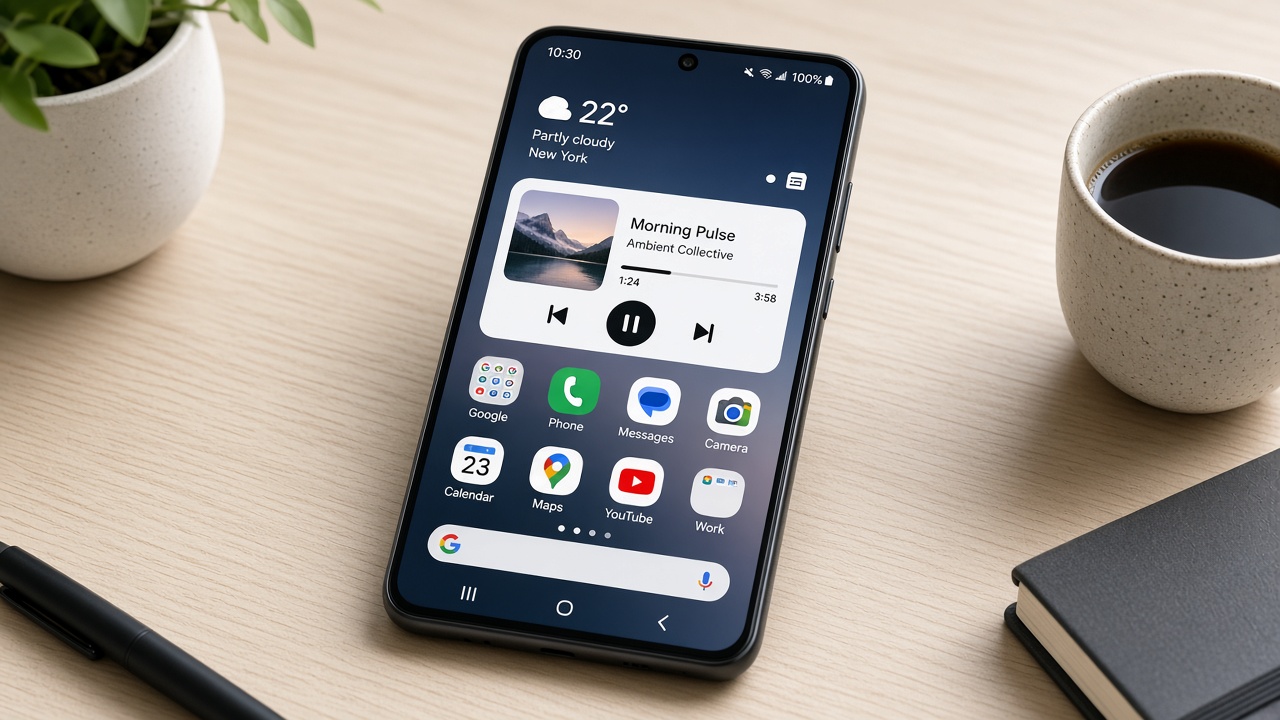
This guide covers how to add and resize the widget, fix a grayed-out tile, keep playback stable with downloads, and avoid malware widgets that ask for your password. Steps follow Spotify’s Android widget help for app version 8.9.60 or newer on supported OS releases.
What the Spotify widget does
The widget is a launcher shortcut with richer playback chrome than a plain icon. Larger sizes usually surface more controls and artwork; smaller sizes save space on crowded launchers. It still relies on the official Spotify service account signed into the app—logging out breaks the tile until you sign back in.
Widgets do not replace Connect speakers, CarPlay, or Chromecast. For room audio see Spotify Connect or Spotify Chromecast. The home-screen tile is about thumb reach on the lock-free home grid.
How to add the Spotify widget on Android
- Update Spotify from Google Play to 8.9.60+ and confirm your Android build meets Spotify’s minimum.
- On the Home screen, tap and hold an empty area.
- Open Widgets, then find Spotify.
- Tap Add (or drag the widget onto the grid, depending on your launcher).
- Position it, then release.
Some manufacturers bury Widgets inside a long-press menu labeled differently (Widgets, Cards, or a + button). If Spotify is missing from the list, update the app, reboot, and confirm you are not on a heavily restricted work profile that blocks widgets.
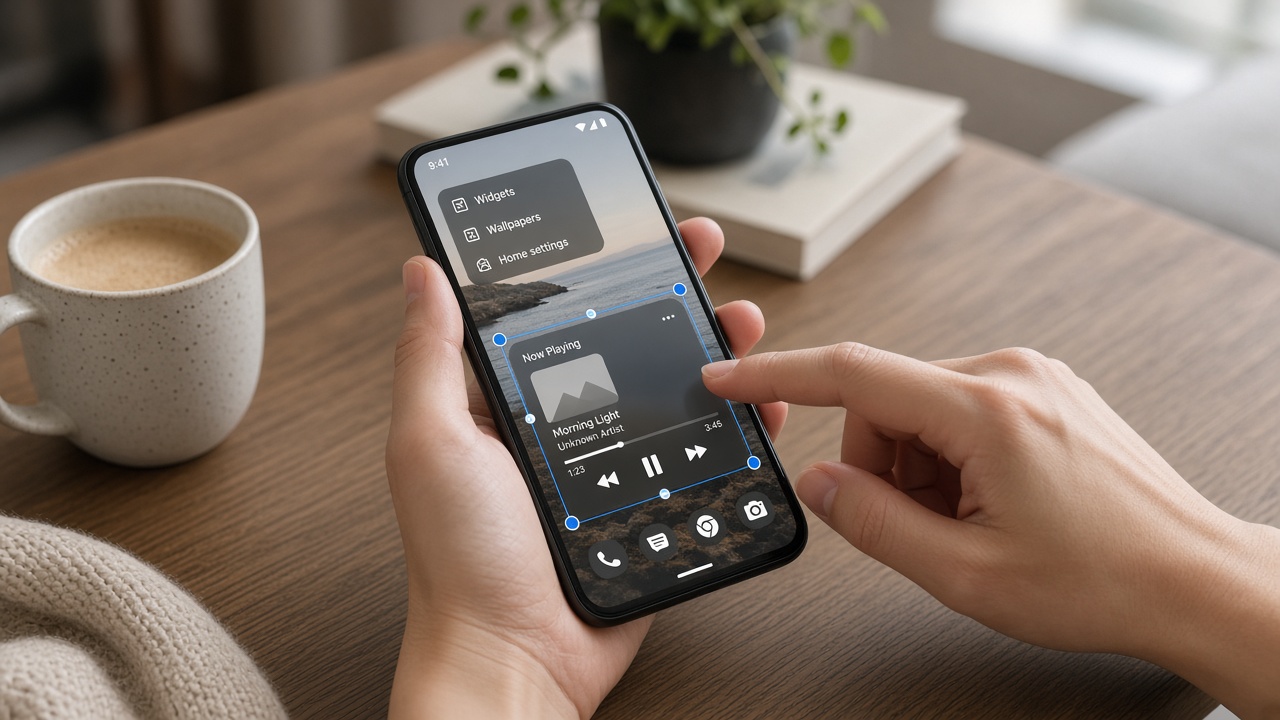
Resize for more controls
- Long-press the Spotify widget until handles appear.
- Drag a corner to grow or shrink it.
- Place larger widgets where you can see artwork; keep mini sizes near the dock for quick skips.
If your launcher refuses odd sizes, try a 2×2 then expand. Nova, One UI, Pixel Launcher, and MIUI all behave slightly differently, but the Spotify widget package is the same.
Widget grayed out or unresponsive
- Log out of Spotify, then log back in.
- Update Spotify and the system OS.
- Restart the phone.
- Remove the widget, re-add it, restart again.
- Clear a stuck session with Spotify sign out on shared devices, then sign into the account you actually use.
- If storage pressure breaks background players, free space—see Spotify storage and clear cache.
Battery savers that kill background apps can make the widget look alive while taps do nothing. Exempt Spotify from aggressive optimization in system settings, then retest.
iPhone note
Spotify’s documented Home screen widget article is Android-focused. On iOS, use Spotlight, Control Center / Dynamic Island behaviors, or Lock Screen where your iOS version and Spotify build allow system music controls. Do not install random “Spotify iOS widget IPA†files—those are sideload risks.
Make the widget useful day to day
- Pin a commuting playlist in the app so the widget resumes something predictable—see pin playlist.
- Download that list on Wi‑Fi so taps still work in subway dead zones.
- Keep Autoplay intentional; surprise podcast jumps feel worse from a one-tap widget.
- Use Data Saver on cellular if widget art chewing bandwidth bothers you.
Security: skip fake widget apps
Search results sometimes push clone launchers that request accessibility access or Spotify credentials. Stick to the widget shipped inside the Play Store Spotify app. If a “premium widget†promises ad-free home controls without a real subscription, treat it as malware. Change your password if you already signed into a clone.
Launcher-specific gotchas
Samsung One UI sometimes places Widgets under a Home screen long-press → Widgets sheet that filters by app; search “Spotify†if the grid is long. Xiaomi/HyperOS may require unlocking widget layout in Home settings first. Pixel Launcher is usually one long-press away. If you use a third-party launcher, grant it home-replacement permission, then add the Spotify widget from that launcher’s picker—not from a random APK widget host.
After adding, play a track inside the full app once so the widget has a session to mirror. If taps only open the splash screen, disable battery restrictions for Spotify, allow background activity, and ensure notifications for media sessions are not blocked. Foldables: add the widget to the cover screen and the inner home separately if your OEM treats them as different launchers.
Shared family phones should keep each person on their own profile; a widget bound to the wrong account will skip into someone else’s Discover Weekly. Sign out extras before you hand the device to a guest.
FAQ
Does the widget need Premium?
The widget follows your plan rules. Free accounts still get Free limitations when controlling playback.
Can I put two Spotify widgets on one screen?
Most launchers allow duplicates; test whether both stay in sync after a reboot.
Why did it vanish after an OS update?
Re-add from the Widgets picker; some upgrades reset home layouts.
Add the official tile, size it for your thumb, fix gray states with login/update/restart, and you have a reliable spotify widget without shady extras.